Updated September 26, 2026.
Archived article dated February 4, 2025. This dated product update has been edited for clarity. Launch details and roadmap statements below refer to the original publication date; screenshots are historical illustrations. See current membership options and the Mezzi help center for today’s product details.
Hey there!
Mezzi has made it easy to effectively manage all of your investment accounts in one place without changing a thing. Now, with Account Tags you can answer even more important questions about your investments by grouping your accounts in ways that are meaningful to you and your family. Download the latest version of Mezzi for iOS to explore, or learn more about Account Tags.
All your taxable accounts as one portfolio
Track realized returns and tax plan effectively by viewing all of your taxable accounts as one portfolio. Reviewing included taxable accounts together can help organize a tax discussion, particularly for a joint return. Account ownership and tax treatment still matter; the grouped view does not replace tax records.
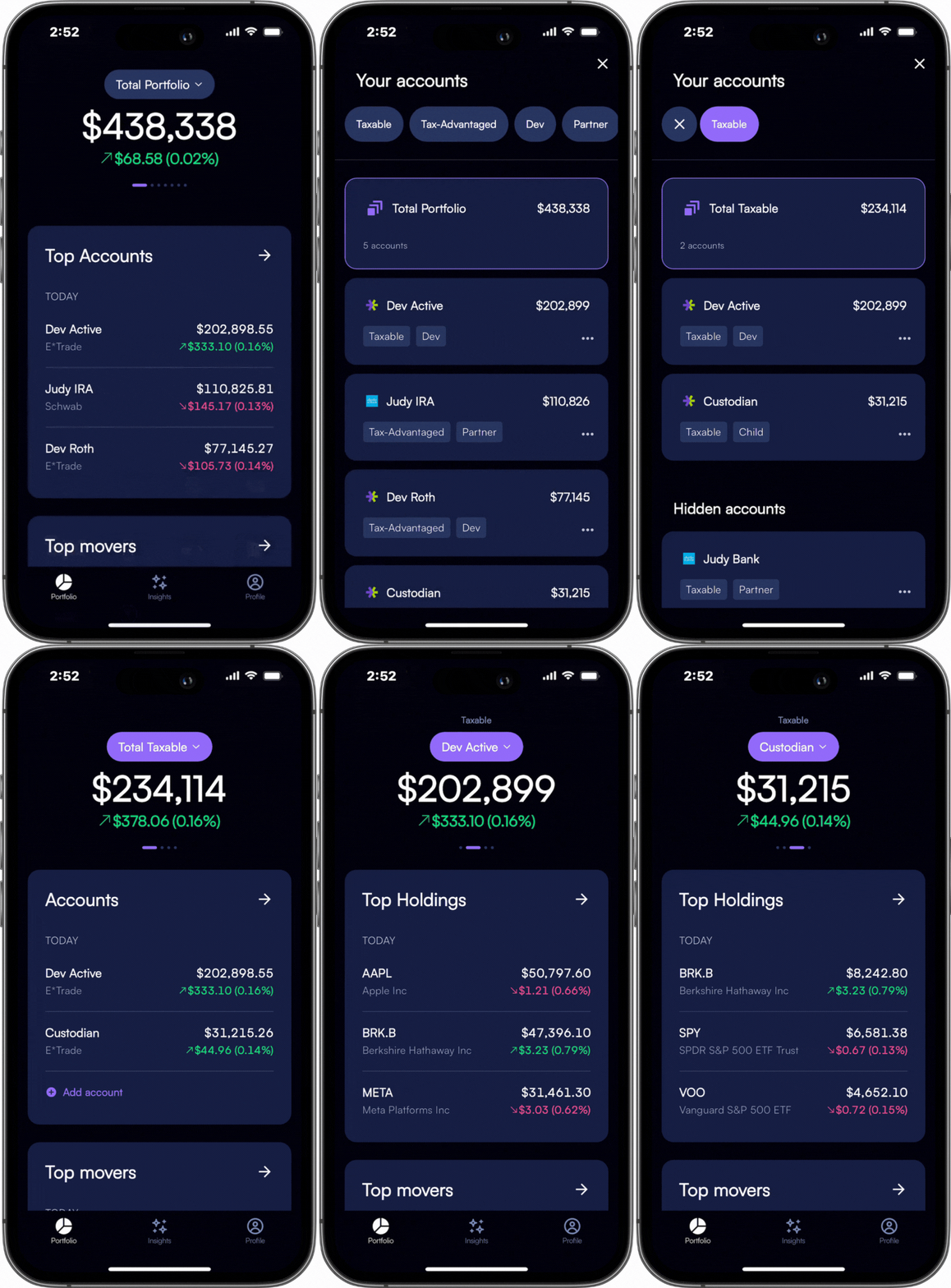
All your retirement accounts as one portfolio
Do you have multiple 401Ks, a Traditional IRA, and Roth IRA? If that sounds like you, now Mezzi allows you to have a full picture of your retirement assets as one portfolio rather than multiple different ones. Having a hard time keeping tabs of where your retirement stands vs. your partner? Mezzi makes it easier to see your entire family’s retirement assets together.

Family management
Do your partner’s accounts live in a separate brokerage? Do they have their own complicated mix of taxable and retirement accounts? Do you have multiple 529s or custodian accounts for children? Our partner, child, and parent tags make it easy to see all of their respective accounts as one portfolio.
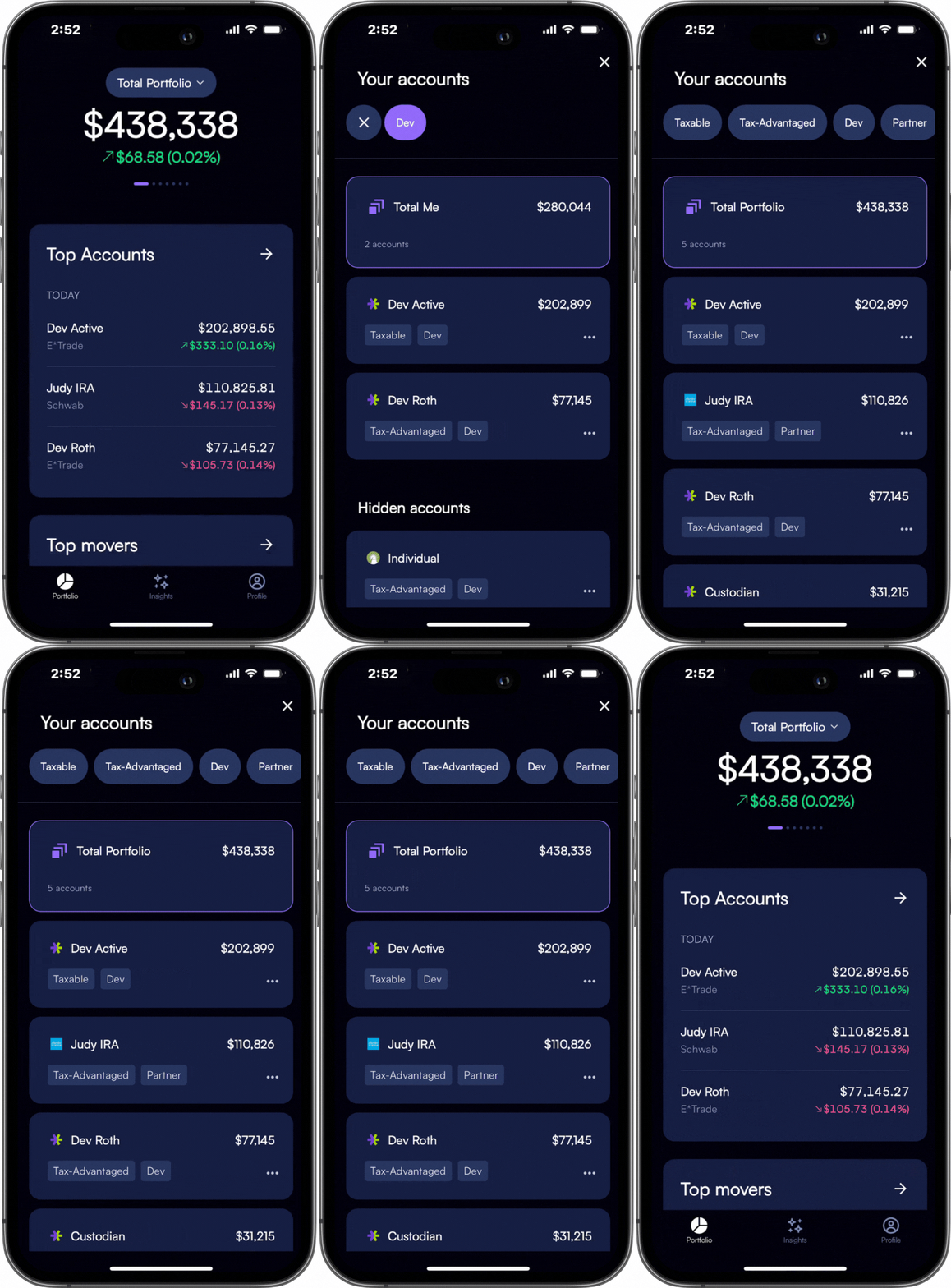
Insights for every tag
With tags, you now can analyze your allocation, performance, dividend income, and more for these tags. You’ll see them as Total Taxable, Total Tax-Advantaged, Total Partner, etc…

We have a lot more planned with Tags and you can help shape the direction. We’d love to hear what you love or don’t love about them so we can continue to build Mezzi into a more useful service for your family.
Other updates announced with this release
- Bank accounts: If you have a savings or checking account with your brokerage, you can see your cash balance in Mezzi. This cash balance will also appear in your Allocation details.
- Hide accounts: Do you have an old or small account that you want to hide from your Total Portfolio view? Now you can easily hide accounts that you don’t want to see.
- Allocation: We’ve expanded our Allocation card to include Fixed Income and Money Market.
- Fidelity and Chase: Connections to these brokers are now available in beta
You’ll also find a variety of enhancements throughout the app to make things cleaner and more insightful. Further updates were planned at publication.
One account can belong to more than one view
Suppose you have a $40,000 taxable account and your partner has a $60,000 taxable account. A combined taxable view totals $100,000; the partner view includes the same $60,000. Adding those two views would count that account twice. Tags create useful lenses over accounts, not new assets.
Before comparing tagged portfolios, check the accounts inside each tag and the period used. If the goal is retirement allocation, distinguish Roth and traditional account treatment even when both appear within a tax-advantaged group.
A useful first question
Try: “Across the accounts tagged taxable, show the largest company exposures and tell me which accounts or cost-basis details are missing.” Then compare that group with the whole household to see whether the concentration is local or shared.
Grouping helps organize a review. It does not merge legal ownership, file taxes, or make balances available for the same purpose. Hiding an account changes the view; it does not close the real account or eliminate its financial obligations.
Explore the current experience in your own account, or check the Mezzi help center for current setup and availability.
Open MezziBy Manish Jain, CFA, co-founder of Mezzi. Original publication date retained; editorial clarification September 26, 2026.
This historical product update is for informational purposes. Examples are illustrative, not investment recommendations or promised results. Account coverage and data quality affect analysis. Review assumptions before acting; AI can make mistakes.