Your tax return is one of the most detailed snapshots of your financial life. Most of us file it and forget it.
Now you can upload a return to a Mezzi chat and ask questions about it. The same upload feature works with statements and other financial documents, including PDF, Word (.docx), CSV and Markdown (.md) files.
Ask better questions of your return
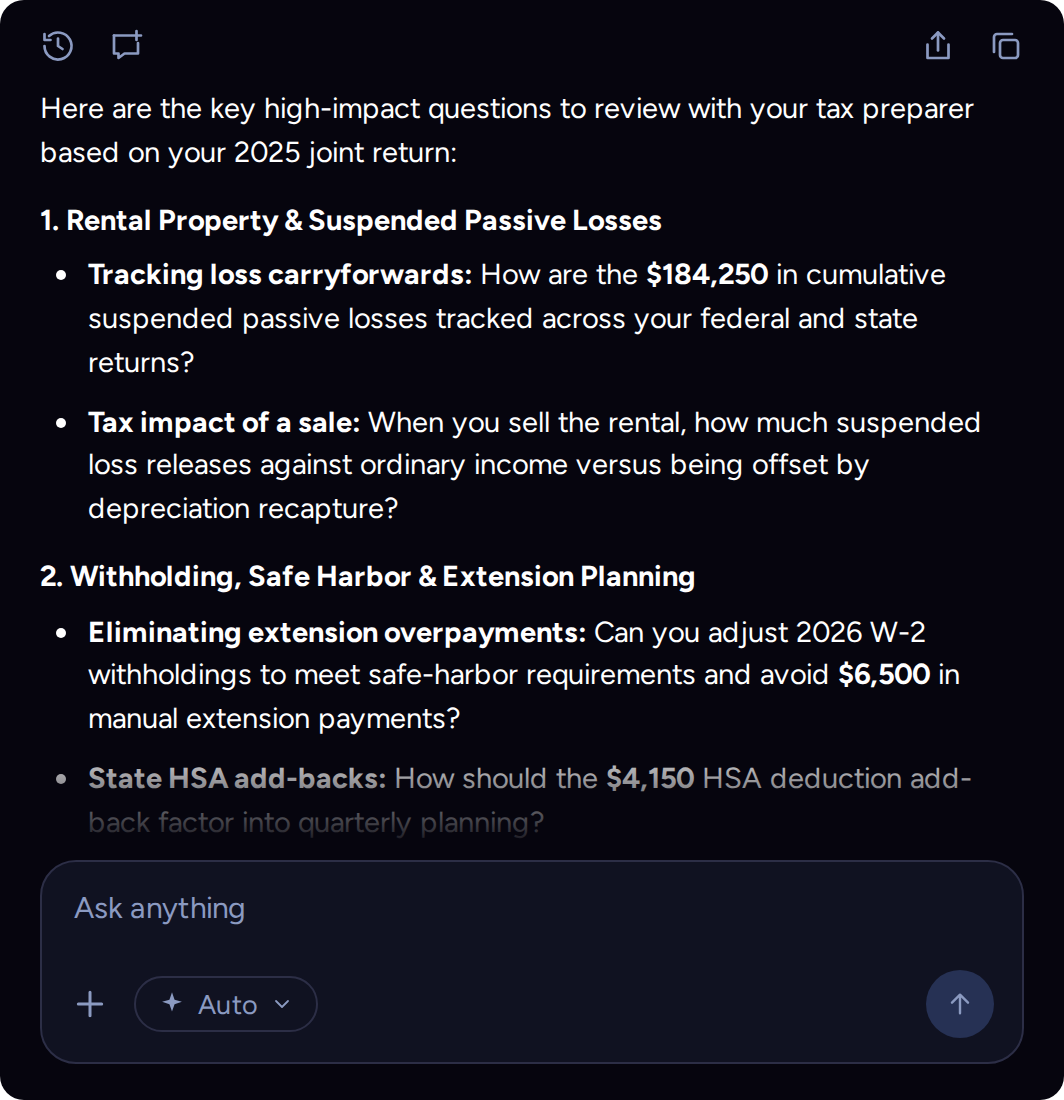
Attach the file in any Mezzi chat, then start with a question that helps you understand what deserves a closer look:
- What are the most important things to understand in this return?
- Are there losses carried forward to next year?
- What should I discuss with my tax preparer?
Ask follow-up questions to examine the details behind an answer. Check the response against your return and bring tax decisions to a qualified professional. Mezzi can help you prepare for that conversation; it does not prepare or file your return.
Document uploads are in beta. For now, an upload stays in the chat where you attached it. Excel (.xlsx) support is planned, and a document vault was announced as a future update. Those roadmap items were not available at this release.
What would you ask about your return? Open a Mezzi chat, attach your document and start with the question you would bring to your tax preparer.
Open Mezzi to uploadSee direct and fund holdings in X-Ray
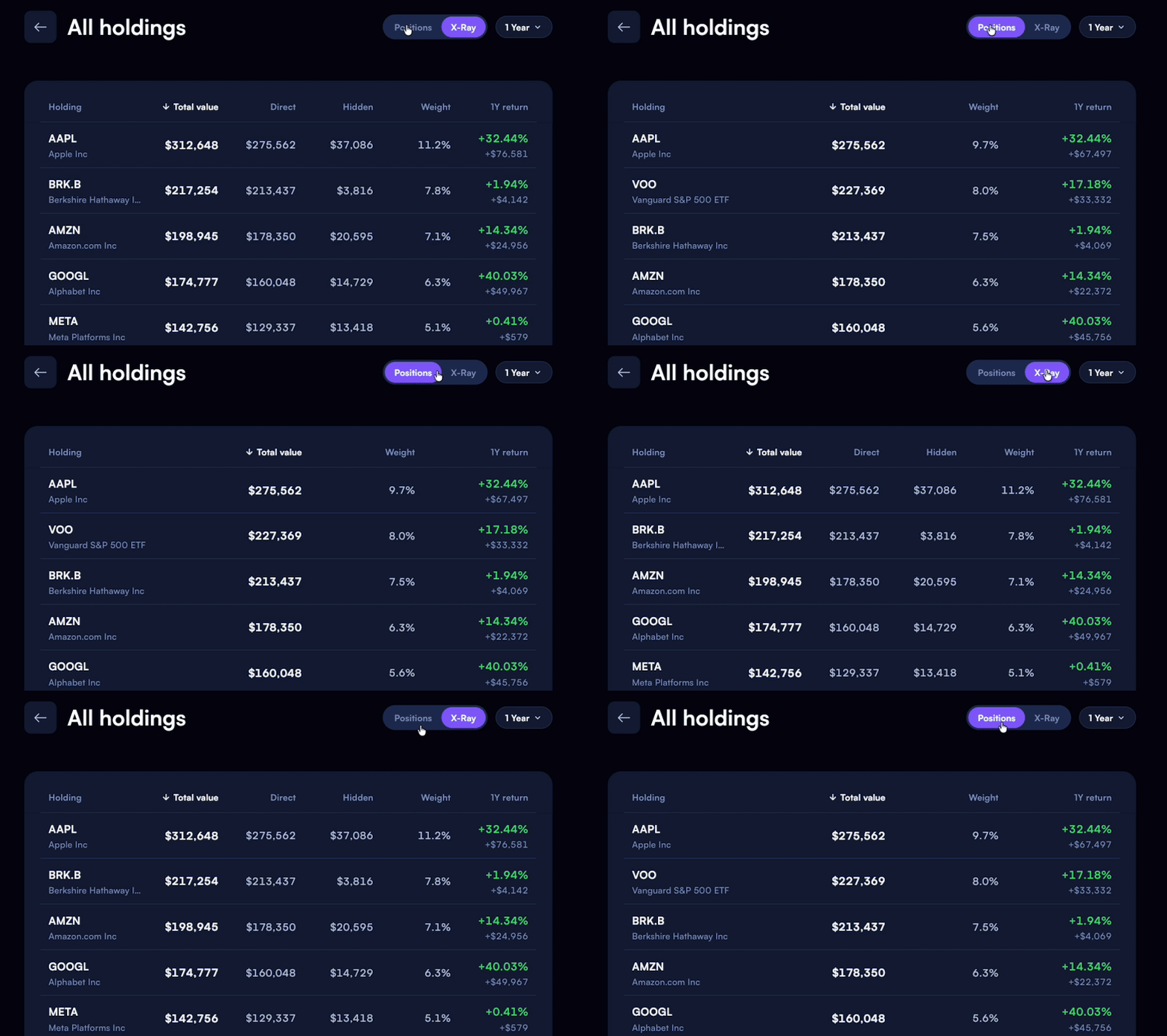
This release also makes it easier to inspect your portfolio from two angles. In Diversification X-Ray, go to Holdings and switch between Positions and X-Ray in All Holdings. Positions shows what you own directly; X-Ray reveals underlying holdings through funds, so you can see where exposures overlap.
More room to work
- A larger conversation. Open a conversation from Home to fill the screen. You can expand a docked chat or keep it docked when you return Home through the side navigation. On mobile, chat history is in the top-left corner.
- Table headers that stay in view. Column headings remain visible as you scroll through detailed portfolio tables.
- Chat history for free members. A fix restores access to previous conversations from Home.
Your documents and your holdings can now give the conversation more context. Start with one question, inspect the answer, and keep going where the details matter.
This product update is for informational purposes only and is not personalized investment, tax or legal advice. AI responses can be incomplete or incorrect. Verify figures and assumptions against your records and consult a qualified professional before making tax decisions. The illustrated figures are hypothetical and do not represent a customer result or guaranteed outcome. Features and availability can change.