
Updated September 26, 2026.
Archived article dated May 2, 2025. This dated product update has been edited for clarity. Launch details and roadmap statements below refer to the original publication date; screenshots are historical illustrations. See current membership options and the Mezzi help center for today’s product details.
By popular request and after testing with a small group of members, we're thrilled to announce an expanded beta launch of Mezzi for web for desktop and tablet!
Why we love Mezzi for web
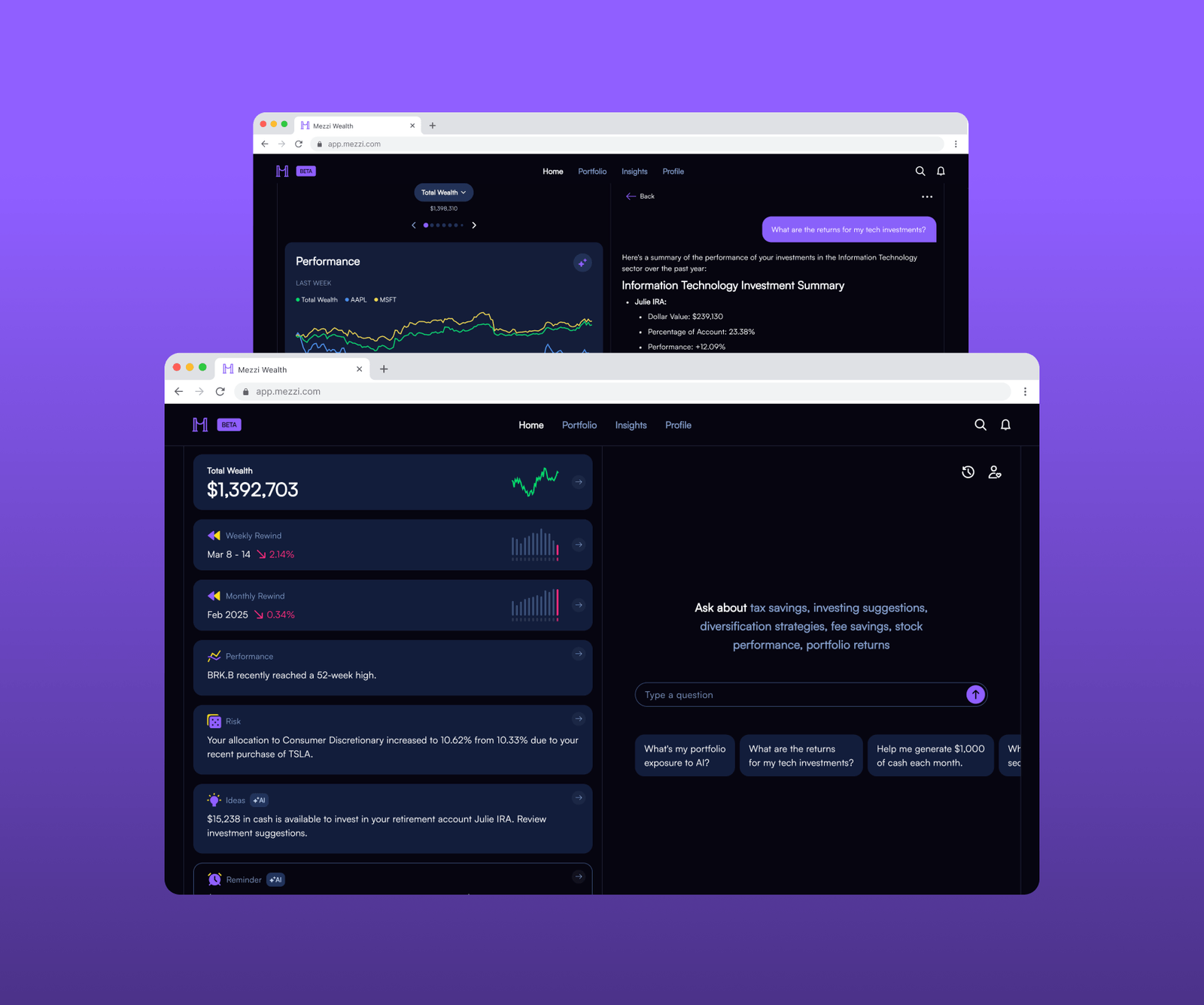
AI Chat: Easily type detailed questions and review answers with a full keyboard and large screen.
Data side by side: Track all your accounts, positions, and performance alongside your AI chats.
Seamless experience: The same intuitive interface you're familiar with on mobile.
Everything in sync: All your data and AI chats will be accessible on both platforms
Build Wealth Smarter with Mezzi
Review AI insights about your included investments, tax questions and portfolio in one place, using the account data available.
All the great Mezzi features now on web
- Make smarter decisions with AI: Get personalized insights and answers about your specific portfolio from Mezzi AI.
- Review taxes and fees: Investigate potential opportunities using your own accounts and circumstances.
- Everything in one place: Connect supported investment and bank accounts across institutions.
- Track performance with precision: Understand how your investments are truly performing with time-weighted returns.
- Discover hidden risks and opportunities: Uncover concentration risks and see hidden stock exposure with Exposure X-Ray.
- Collaborate with your partner: Invite your spouse or partner to see your combined wealth picture.
- Access powerful account tags: Organize your accounts based on tax status and account owner.
Get started with web
Visit app.mezzi.com on any computer
Sign in with your existing Mezzi account
Enjoy the full Mezzi experience with all your connected accounts
Check out recent Mezzi updates:
- Mezzi AI
- Saved AI Chats
- AI everywhere
- Enhanced personalization
- Exposure X-Ray and covered ETF holdings
- Home
Use the larger screen for one complete review
Open an account view beside chat and ask a question tied to what you can inspect: “For these accounts, show the largest direct holdings and any covered fund exposure. List missing data before suggesting a change.” Keep the account list visible while reading the answer so a plausible-sounding response can be checked against its inputs.
For example, if a question is about three retirement accounts and the answer covers only two, resolve the missing account before using the combined allocation. A larger screen improves the review workflow; it does not eliminate connection gaps or AI errors.
Does using web move my accounts?
Signing into Mezzi on web gives another way to use the service; it does not move assets from the institutions that hold them. The launch described access to account data and chats across mobile and web, subject to connection coverage and updates.
These screenshots and navigation steps document the beta. Current access and membership terms appear in the app and on the pricing page. No particular savings amount is promised by using the web experience.
Explore the current experience in your own account, or check the Mezzi help center for current setup and availability.
Open MezziBy Manish Jain, CFA, co-founder of Mezzi. Original publication date retained; editorial clarification September 26, 2026.
This historical product update is for informational purposes. Examples are illustrative, not investment recommendations or promised results. Account coverage and data quality affect analysis. Review assumptions before acting; AI can make mistakes.